Free
€0
30 push notifications per month
NocMate connects your Checkmk monitoring to iPhone, iPad and Mac: push alerts for failures, live host and service status, and actions directly in the app. Start with the free demo or connect your Checkmk instance.

NocMate cleanly separates the app, the push API and Checkmk. The site only sends event data to the API – the app manages the user key and handles delivery to iPhone and Mac.
Just the API URL and user key from the app. No signing secret, no legacy parameters, no admin overhead for regular users.
iPhone and Mac run in parallel off the same key. Alerts arrive on all active devices at once – without rebuilding Checkmk multiple times.
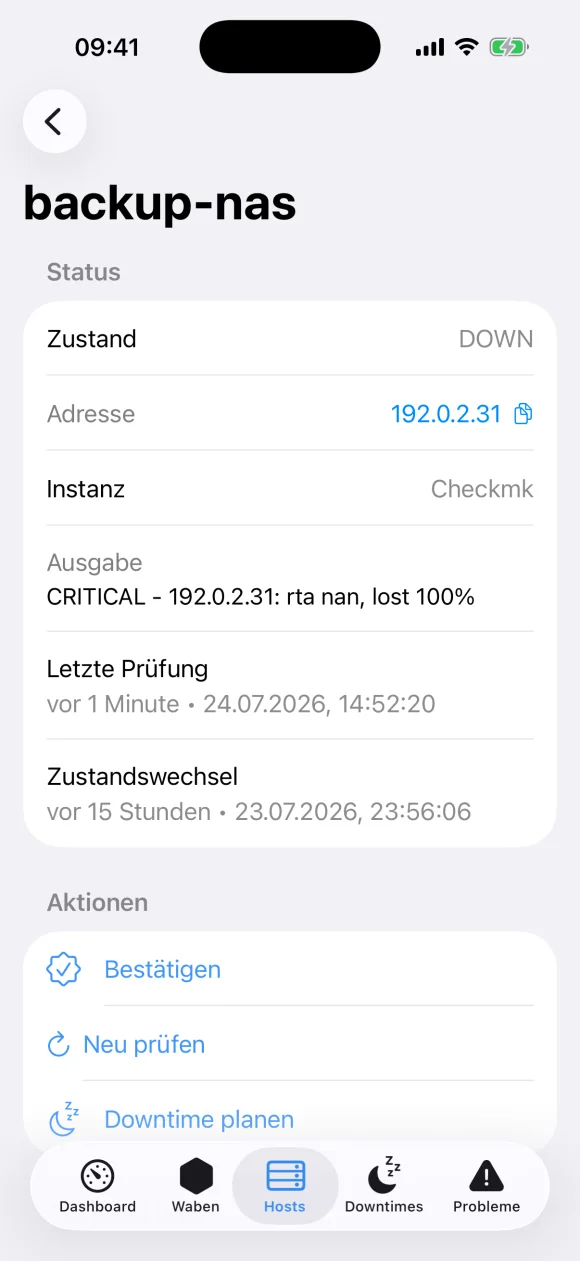
Dashboard, problems, hosts, services and push status – built for fast incident handling. Lightweight, with a traceable alert path.
The alert reaches you instantly, you keep an eye on every host, and you act straight from your iPhone – no browser, no VPN.
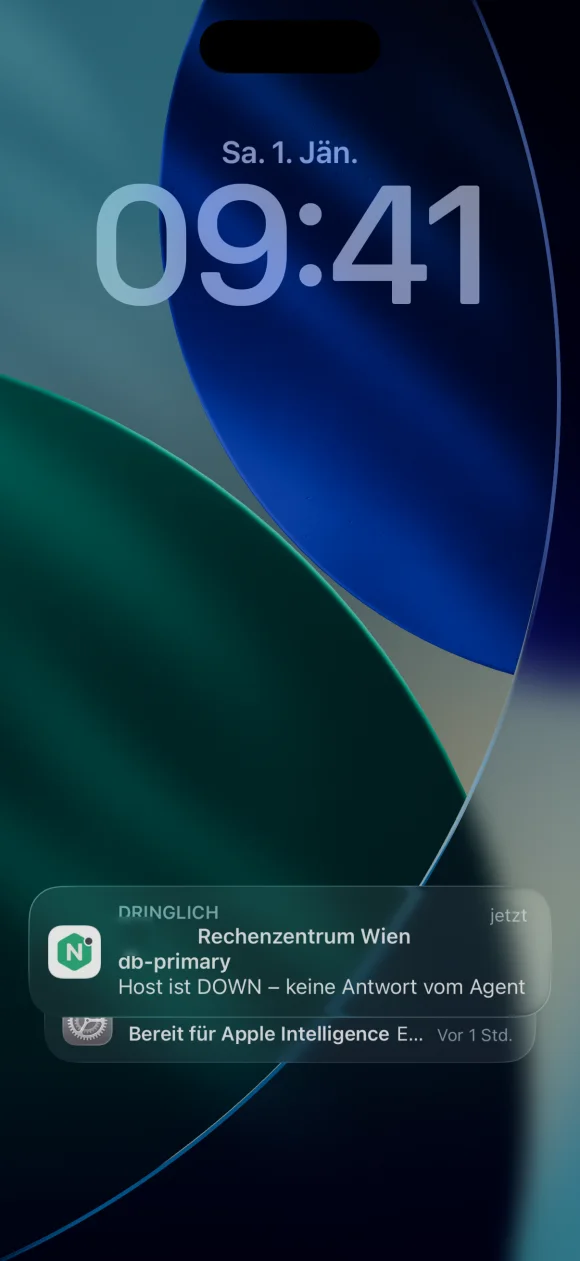
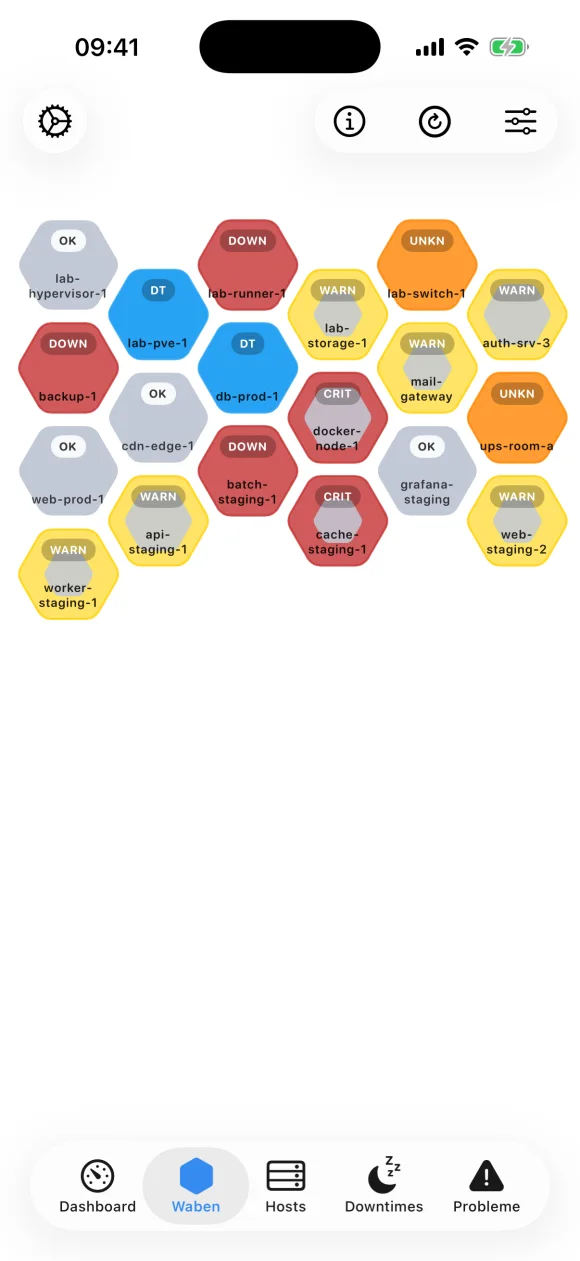
No reverse proxy, no public endpoint, no inbound firewall rule. A small agent opens an outbound, TLS-secured connection to our relay – ideal for healthcare, critical infrastructure and public authorities.
The agent opens an outbound HTTPS connection. No inbound firewall opening required.
The script shows a QR code in the terminal. Scan it with the app – the site is connected. No token copy/paste.
No snapshot storage. Requests are passed through solely in the relay's RAM.
A wizard installs push and Connect with a single command – the OMD site and Checkmk user are detected automatically.
Enable push and copy the user key from the settings.
Drop nocmate_push onto the Checkmk site and make it executable.
Set just two parameters in Checkmk: API URL and user key.
Trigger WARNING, CRITICAL and Recovery and verify right on the device.
For plain alerts on iPhone and Mac you need neither Connect nor an agent. The script auto-detects your OMD site, drops the notification plugin nocmate_push and reloads Checkmk.
curl -fsSL https://nocmate.app/downloads/install_nocmate_checkmk.sh | sudo bash
Prefer not to pipe to shell? Download nocmate_push.sh and copy it manually to ~/local/share/check_mk/notifications/. · Read the full setup guide →
For regular users the Checkmk setup is enough. The API stays documented separately for integrations, operations and debugging.
€0
30 push notifications per month
€2.99
500 push notifications per month
€7.99
Unlimited push notifications; 1 Connect site
In-app prices shown in the Austrian App Store on 13 October 2026. Subscription periods, regional prices and renewals are shown in the app before purchase. Additional Connect sites: +1 for €2.99, +3 for €6.99, +5 for €9.99.
iPhone/iPad requires iOS/iPadOS 17 or later; Mac requires macOS 14 and Apple M1 or newer. Checkmk needs a notification rule and suitable user permissions for live access. Push requires outbound access to the NocMate API. App Store compatibility
NocMate displays Checkmk hosts and services on Apple devices and receives push notifications for failures and recovery. You can acknowledge problems and schedule downtimes from the app.
No. The Checkmk notification script sends events to the NocMate Push API. For live data and actions on a private Checkmk instance, you can also use NocMate Connect. Its agent establishes an outbound connection.
The free tier includes 30 push notifications per month. Small includes 500 per month; Unlimited includes unlimited push notifications and one Connect site. Current prices, subscription periods and additional Connect packages are available in the App Store and the app.
The App Store listing specifies iOS and iPadOS 17 or later and macOS 14 or later on Apple Silicon M1 or newer. NocMate supports Checkmk REST API and Multisite, plus Nagios Core, Icinga and Thruk through Classic CGI. The setup guide covers Checkmk integration.
Yes. Demo mode provides sample data without requiring an account or a configured monitoring instance.
Multiple devices can use the same User Key and receive alerts in parallel. For multiple people, create separate Checkmk notification rules using their respective User Keys. Install the push script only once per site.
All setup and Connect answers → · Compare push, email, Slack and Pushover →